
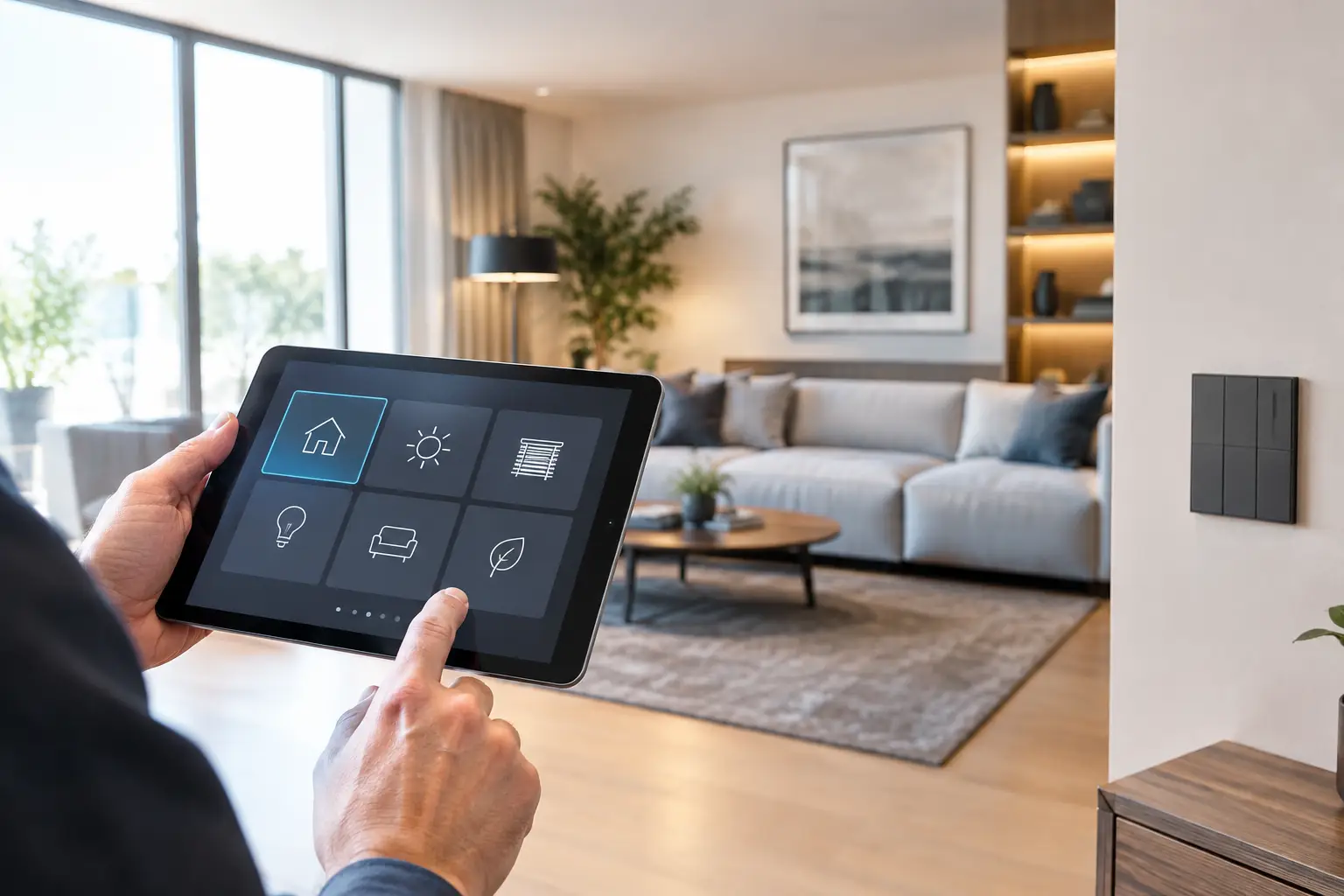
A well-programmed KNX scene can change the character of a room with one action: lights settle to the right level, blinds move into position, heating or cooling adjusts, and the AV system is ready when it is needed. Knowing how to programme KNX scenes is therefore less about creating clever effects and more about designing controls that feel natural to live or work with.
For a private residence, that may mean a single button by the front door that closes blinds, reduces lighting and sets the property to away mode. In an office, it could mean a presentation setting that controls lighting, shading and display equipment without asking staff to manage several separate systems. The best scenes reduce decisions, protect the design intent of a space and still leave occupants in control.
Start with the experience, not the keypad
Before opening ETS, define what each scene is meant to achieve and who will use it. This matters because a scene called “Evening” will mean something different in a family kitchen, a principal suite and a boardroom. A useful scene has a clear purpose, a sensible trigger and an outcome that feels consistent every time it is selected.
Walk through the property or floorplan and identify the moments that repeat. Arrival, entertaining, dining, watching television, bedtime, cleaning, meeting, presenting and closing the building are common examples. There is no value in creating dozens of scenes simply because KNX allows it. A smaller number of carefully considered settings is easier for occupants to remember and easier to support over time.
It is also worth deciding where control should sit. A wall keypad offers immediate, tactile control and can be specified in finishes that suit the interior. Touch panels may be appropriate where a room needs more detailed adjustment. Mobile control is useful, but it should complement the fixed controls rather than become the only way to operate essential functions.
How to programme KNX scenes in ETS
The exact workflow depends on the devices selected and the system architecture, but the core process is consistent. KNX scenes are commonly recalled using a scene number, typically from 1 to 64, sent across the bus by a keypad, touch panel, sensor, visualisation system or logic controller.
Establish a clean group-address structure
First, ensure the underlying functions are correctly addressed and tested. Lighting channels, dimming levels, blind or curtain positions, HVAC setpoints, audio zones and AV commands need their own properly named group addresses before a scene can be dependable. A scene is only as reliable as the commands it calls.
A clear naming convention pays dividends on larger projects. Rather than relying on vague labels, identify the room, function and action in the group address description. This helps the commissioning engineer, facilities team and any future service provider understand what a scene affects without having to trace every object manually.
Choose where the scene will be stored
This is one of the most significant technical decisions. Some KNX actuators can store scene values internally. For example, a dimming actuator may retain the desired output level for a particular scene number, while a blind actuator can retain a target position. When the selected scene number is received, each device recalls its own stored setting.
Alternatively, a central logic controller or visualisation platform can manage the scene. In that arrangement, one trigger sends a defined series of commands to the relevant group addresses. This approach is often preferable when a scene includes functions beyond standard actuator values, such as AV power commands, security behaviour, conditional logic or timed sequences.
Neither method is automatically better. Device-based scenes can be straightforward and resilient for room-level lighting and shading. Central logic offers greater flexibility for multi-room, multi-system settings. On a high-specification project, a hybrid approach is often appropriate: local room scenes remain responsive, while whole-house or building-wide scenes are coordinated by the central system.
Configure the scene trigger and participating devices
In ETS, configure the chosen control point to transmit the correct scene number or scene-control telegram. A standard scene number is normally carried using the KNX scene-number data point type, while scene-control objects may also support a learn or store function. The available communication objects and parameters differ by manufacturer, so the application programme for each device must be checked rather than assumed.
Link the trigger to the scene objects of the participating actuators, or to the logic object that will interpret the command. Then define the desired state for every function involved. For a dining scene, that may include pendant lighting at 65 per cent, wall lighting at 30 per cent, curtains closed, selected decorative lighting active and heating maintained at a comfortable occupied setpoint.
Avoid treating every scene as a lighting-only instruction. The value of KNX lies in coordination. Shading can protect against glare, climate settings can reflect occupancy, and audio can support the intended use of the room. At the same time, not every system needs to respond. Adding a command simply because it is technically possible can make the experience feel unpredictable.
Store values carefully, or define them in logic
For actuator-stored scenes, place the room in the required state and use the relevant store or learn function to save those values against the selected scene number. This is convenient during commissioning, but it needs control. If occupants can accidentally overwrite a scene from a keypad, the original design can be lost. On many projects, scene learning is restricted to authorised users or disabled once commissioning is complete.
With central logic, enter the required values and commands directly in the controller or visualisation configuration. This takes longer to set up, but it creates a clearer record of what the scene is intended to do. It also makes complex behaviour possible, such as only lowering external blinds when sun conditions require it, delaying projector shutdown for lamp cooling, or excluding a room that is already in a security alarm state.
Test the real room, not just the bus traffic
A successful ETS download is not the same as a successful scene. Test each setting from every intended control point and observe the room at the time it will actually be used. Daylight, reflected surfaces, lamp dimming curves, blind travel times and the acoustic impact of AV equipment all affect the result.
Check what happens when a user makes a manual adjustment after recalling a scene. In most homes and workplaces, manual control should take priority. A resident who raises a light level should not find the system immediately forcing it back down. Decide whether the scene is a one-time recall, whether it should reassert after a delay, or whether a separate automatic mode is more appropriate.
Design scenes that remain useful over time
The most successful KNX programming reflects how occupants behave rather than how a system diagram is arranged. A “Goodnight” scene should consider circulation lighting, external openings, security integration and bedroom comfort, but it should not leave someone unable to safely move through the house. A commercial “Close” scene may reduce energy use and prepare the building for security, while still preserving essential services and safe egress lighting.
Naming is part of the user experience. “Kitchen Evening”, “Terrace Entertain”, “Meeting Presentation” and “Whole House Away” are clearer than generic labels such as Scene 3 or Mode B. Where a keypad has engraved buttons, wording and iconography should be agreed early enough to suit both the electrical design and the interior scheme.
Think about failure states as well. Networked AV equipment may need time to wake, motorised blinds may be temporarily unavailable during maintenance, and a heating or cooling request may be constrained by plant conditions. A well-engineered system should respond gracefully rather than leave a user unsure whether a command has been received. Feedback on a keypad or touch panel is particularly useful for scenes that take several seconds to complete.
When professional commissioning makes the difference
Scenes sit at the meeting point of electrical design, lighting design, shading, HVAC, AV and user behaviour. That is why they are often the detail that distinguishes a connected property from a considered integrated environment. The technical programming matters, but so does judging whether the room feels right at 7pm, whether a guest can understand the controls, and whether the scene still works after the family’s routine changes.
For larger homes, renovations and commercial developments, MOSAIC plans these interactions alongside the wider KNX, AV, security and network system. The aim is not to expose the complexity behind the controls, but to give every space a composed, intelligible response.
A scene should feel less like operating a building system and more like the room has understood what you meant to do.






Keep In Touch